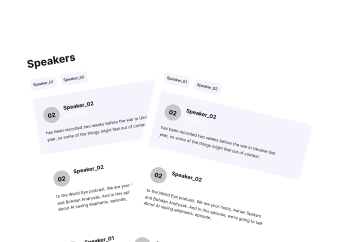
Videotransskription
Fjern baggrundsstøj, fyldord, akavede pauser og andre uønskede lyde med AI. På få minutter. Du behøver ikke være teknisk kyndig for at rense din video.
Prøv uden tilmelding.
Nu behøver du ikke længere bruge 4 timer på redigering og transskription for en podcast-video på 1 time.
Har du fjernet fyldord, mundlyde og anden støj, og nu stemmer din video ikke overens med lyden?
Sæt dine redigeringer på lydløs, klip ikke. Og synkroniser din lyd og video.
Så nemt som 1-2-3 med AI-videoredigeringsprogram

After the video editor I used, decided to turn the noise reduction tool a pro-feature I was at a loss on how to clean up the audio for my YouTube videos. This AI is the best tool I have found. Tha audio es clean and crisp, trully amazing. I will be using this tool from now on.
Really easy to use and quick and made the video sounds so much more professional ! I would recommend this to a friend
Okay so Within 10 minutes I edited my 4 videos for background noises and really it's so effective. Cleanvoice reduces bg noises by more than 95%. I would very much recommend using it.
i have shot over 7000 weddings on maui outside on the beach so i have some experience with wind/waves and all outside noices. as a guest i recorded a family wedding outside , in a rainstorm with my phone. Not only did this ai take out the raindrops but it adjusted the volume of both the groom facing me and the bride facing away. where have you been for the last 20 years? thank you. love cleanvoice..
Wonderful app. I recommend all the video editors to use this, I saved my money from buying the mic
I am really happy with the video output, I have tried various other tools but didn't work, but this one did thank you so much for the amazing tool❤️
I like that fast working and time saving work to enhance my video poetry. Back ground echo sound and many things which I want to remove this site resolved in a little time. Yes I recommend to many friend to use this site for better quality recordings.
Love that Cleanvoice lets you purchase minutes of service instead of charging a monthly cost like other services. Its user interface is also super simple to use. Cleanvoice was exactly what I was looking for - reasonably priced for a creator that might only use the service a few times a month and helps me get my video ready for posting with little effort.
I loved this app! It removed a lot of my stutters and made my words sound way clearer and profound, also making the audio seem more balanced. I would recommend this to video creators!
This was such a convenient and easy way to clean up a video! I spent time recording something only to realize how loudly it picked up the fan. This removed the fan sound and left me with a crisp sounding video. THANK YOU!
CleanVoice mi čistí videozáznamy natáčené na ulici, kde ruší projíždějící auta a hlasití chodci.
I was looking for a tool to edit some background noises from a very urgent video and I stumbled upon cleanvoice. To my surprise, it actually perfectly cleaned the audio and that too in few minutes. I must say that this tool really saved a lot of time for me.
Incredible. I was editing a video including an interview in a room with lots of people speaking loudly. I tried to reduce the noise using Final Cut Pro, Audacity, Wave Pad. Then I tried yours. I was shocked. Thanks.
Send det til os, så vil en rigtig person svare.