Tim MalieckalBen LindbergHeather DonoghueMercedes

Loved by 15,000+ podcasters

Add Audio Editing API in 3 Steps. Get Studio-Sound in Minutes.

Remove background noise, fillers, mouth and breath sounds, stutter, long silence from your audio project. Using AI. Without hundreds of lines of code.

Try API for free

Professional-audio for your users.More free time for you.

Automate audio editing with API. Within clicks.

Studio-quality results. With only one API call.

Remove noise. Normalize, equalize, and balance loudness. With zero dependency.

How to set up audio editing API?

Easy as 1-2-3

Try Now
Sign up free (1).svg
1

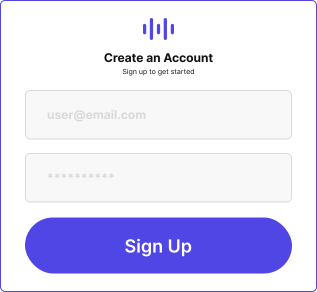
Sign Up for Free

2.png
2

Generate API Key (From Settings)

copy code (1).svg
3

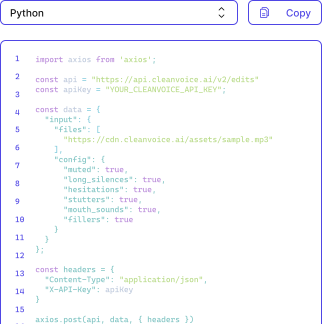
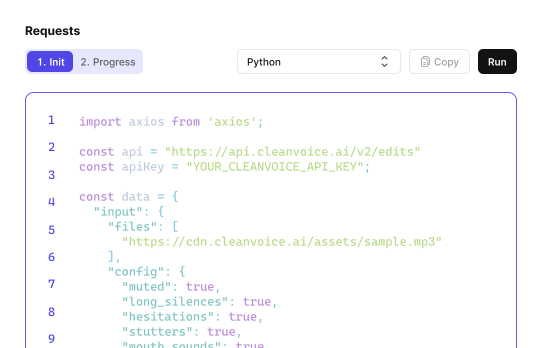
Copy-Paste the code from Playground or Docs.

“Error-free editing”, says 30+ brands…
01

0

API Uploads Per Week

02

0.00%

Uptime

03

0

Filler Words Removed

04

0

Mouth Sounds and Stutter Removed

Pay as you use or subscribe.

No rocket-science pricing.

Custom plans? That too.

Try Cleanvoice Risk-Free

Get 30 mins of free credits.

Starting at$0.7/hour

No credit card required

Need Enterprise-Level Solutions?

Need 200+ hours of editing or customization in API? Get a custom plan just made for you.

Let's Talk

Customization in your mind? Found in our API

Customize audio editing API. The way you like. 

Your usecase, your API

Whether you need it for your audiobooks, or podcast app. If that’s for interviews or audio lectures.

Customize API features.

Customize for Your Usecase
Your usecase, your API

Custom Templates

Whether you want to remove only background noise, or mute edits, or need normalization.

Choose preset templates, or create your custom one.

Try Custom Templates
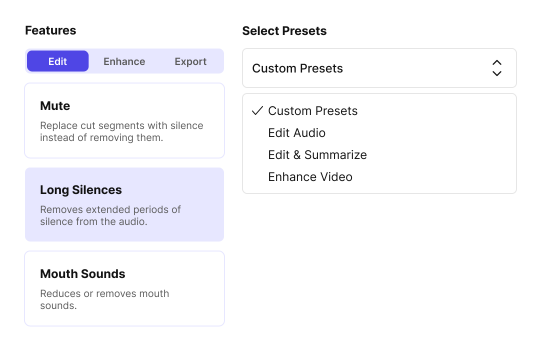
Custom Templates

Timeline export

Want control of your edits? Or need to integrate them into other editor?

Export the timeline of edited parts.

Try Exporting Edits
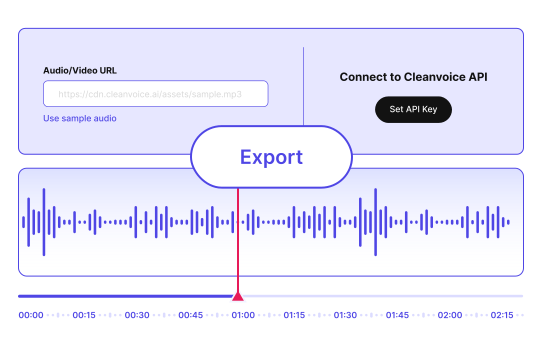
Timeline export

Need Audio Editing API for Your Startup?

Want to edit audio at scale for your startup, but have limitations of team and budget?

Startup Plan

Apply to our startup program and keep your audio project rolling.

Your Data Safety First

Compliance with GDPR. Data stored in EU. ISO 27001 Certified.

Compliance with GDPR. Data stored in EU. ISO 27001 Certified.

Frequently askedQuestions.

Ask Now
Does Cleanvoice use AI for audio editing?
Yes, cleanvoice is an AI podcast and video editor. It edits your file in minutes, without making it sound robotic or choppy.
How can I find out more about your API?
Visit our documentation (https://docs.cleanvoice.ai/) for more details on how our API works.
Who can use Cleanvoice API?
Whether you are a developer, audio engineer, audiobook producer, or video editor. Whether you need it for your podcast app or your startup. And even if you have got any other usecase for audio editing, you can use Cleanvoice API.
Do you supoort batch file uploading?
Yes, you can upload and edit batch files. We will treat each of them as separate audio.
Do you support multitrack editing?
Yes, our API also supports multitrack files. It works great if your audio has multiple speakers.
How long does it take usually to edit audio using API?
It takes about 5-10 minutes for one hour of audio.
How can I customize your API?
Either choose a custom templates. Or if you need specific features, chat with us. We will work for it.
Can I also enhance audio using your API?
Yes, our API also improves your audio quality using normalization, equalization, sound leveling, echo removal, and more.
Does it work with non-English languages?
Yes, our API edits your audio in 20+ languages and multiple accents. Without errors.
How does the pricing work? Is there a different price for API?
You can get all the features, whether you choose pay-as-you-go or a subscription. For more hours of editing (200+), or customized features, you can chat with us. In usual cases, the pricing for API and non-API users remains the same.
Which file formats do you support?
We support (almost) all audio and video formats. Including .wav, .mp3, .m4a, .flac, .mp4, and more.
How long do you save my files?
We store both your original and edited files for 7 days. After 7 days, we remove your files permanently.