Podcast Summary & Shownotes
Transcribe hours-long video or audio in minutes. Generate transcriptions from your podcast or video recording in a few clicks. With Cleanvoice AI.
Try without sign-up.
Whether you're recording a podcast in English, Spanish, or any other language, Cleanvoice can transcribe it for you with accuracy.
This AI-powered tool is essential for anyone who wants to create high-quality podcast content.
Not only does it save you the time and hassle of transcribing your episodes yourself, but it also ensures that your transcriptions are error-free.
I love the Social Media write ups. The Spanish used is perfect, and you managed to transcribe my speech without errors.
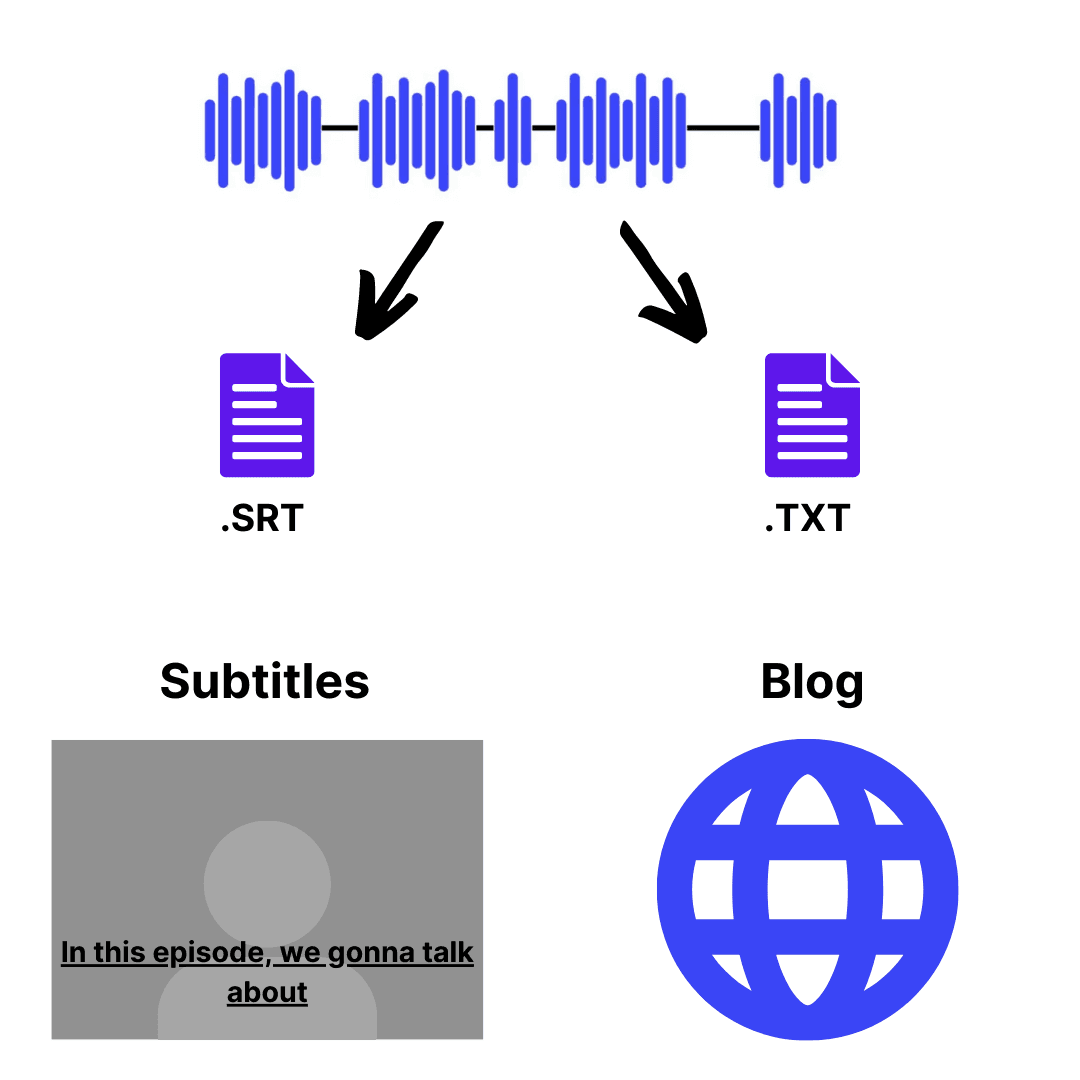
Create a blog post or article based on the transcript. Select key points from the transcript or podcast summary and add additional information.
Or export the transcript as.SRT file and add subtitles to video podcast.
No need to learn editing jargon or take days to understand UI.
Simple for even first-time users.


oh wow! guys it's incredible. The voice is really like in a pro studio, but I was sitting near the open window. And there were cars going by sometimes. And at the same time the voice is so natural. No sounds are missed. That's unbelievable.
Yoooo, this website is WILD. They do JUST what they say they will. I used it for a friend to clean up some rough audio of somebody accused of cheating, & it did it for me in SECONDS lol. (I was blown away). They even timestamp AND include the written text of the audio.
CleanVoice.ai has been a game-changer for me! It offers a clean, intuitive interface that's easy to use, even for beginners. The accuracy of its voice recognition is top-notch, and it quickly transcribes audio with impressive precision. One of the best features is how it filters out background noise, delivering crystal-clear output that saves me time on edits. It's perfect for podcasts, interviews, or any voice-based content creation. Highly recommend it to anyone looking for efficient, high-quality audio processing!
We have dozens of old voice recordings on cassette that was done by the family as interviews in the early 80's and this whole library is now going to be available for the family, cleaned and digitized. This is amazing and mind blowing technology. The transcripts are fantastic, as we can also have a written copy of the interviews. Thankyou so much Cleanvoice! Amazing, Amazing, Amazing.
I'm really impressed with how seamless it was to edit my audios using Cleanvoice AI. It didn’t just save me hours of editing—it went beyond my expectations by summarizing my episodes and even providing sample posts for different platforms. The transcript feature is also a huge help. I hate manual editing, and transcribing can be expensive, not to mention how hard it is to find the time to summarize everything, especially since I’m running a 21-day challenge, which means a new episode every day. Cleanvoice AI has been a game-changer, and I’d highly recommend it to anyone.
I love the Social Media write ups. The Spanish used is perfect, and you managed to transcribe my speech without errors.