
Ta bort tystnad
Cleanvoice AI-baserade andningsljudsborttagare tar bort höga andningsljud från ljud och video, så att din röst låter jämn.
Prova utan att registrera dig. Inget kreditkort krävs.


Oavsett om du andades ut eller om din gäst blåste i mikrofonen – du vill ändå ha en felfri podcast.
Ett verktyg för att ta bort andningsljud som redigerar bort alla dina flämtningar. Och låter som inspelat i studio.
Säg adjö till tung andning på en gång. Även om din inspelningsutrustning inte fungerar.
Ta bort kraftiga andetag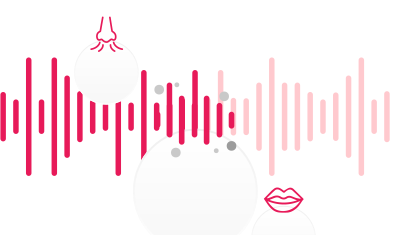
Detta ljudklipp är en del av "Podcast 200 // Special – vad vi har lärt oss + favoritgäster" av School of Calisthenics licensierat under CC BY 3.0, redigerat från originalet
Enkelt som 1-2-3. Med AI-andningsljudsborttagare.
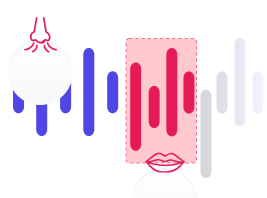

Även om din berättarröst innehåller viskningar. Eller om du vill att din ljudbok ska låta professionell. Eller om du vill ha en rå men tydlig podcast och sång.
Växla mellan original- och förbättrat ljud utan att tappa bort var du är.
Denna ljudfil är en del av "Podcast 222 // Vikten av JAW-styrka strongcamps" av School of Calisthenics licensierad under CC BY 3.0, redigerad från originalet
My recording was awful. I recorded it outdoors on an inspiring walk and the ideas flowed. The words were excellent. The recording was awful. Back in my office I attempted to record the same words using a laptop and an expensive microphone, but the inspiration was not there. A sad ending to the day? Not at all. I found Cleanvoice! Using the original recording - filled with gusts of wind, deep breaths and long pauses - I got what I wanted and needed most. A perfectly paced, inspiring monologue of instructions and inspiration in a clean voice. And that was just the free trial. Cleanvoice gave me what I needed as a demo of what they could do, so I am giving them this testimonial as my thanks to them. Now I must consider how I want to make my recordings in the future - on long inspiring walks with gusts of wind, or in a studio with an expensive microphone?
It is absolutely unbelievable. I had a 90 seconds of footage from a very noisy crowded bicycle race in Belgium. I would like to use that in my reels but with all those wind and noise from supporters I didn't have that opportunity. Thanks to Bard from google, suggested me the cleanvoice.ai. With 30 min. free I turned my footage like a studio recorded quality video. Thanks.
Best Application for Noise Reduction most breath or blast sound removed by clean voice app i recommend this website to my friends and family too
Wonderful - I was soooo surprised with the result - It cleaned up the buzzing and hiss - Thank you - My highest recommendation to anyone
Great service, and fast! My expectations are usually pretty high, but you guys exceeded what I was looking for. My new audiofile (without all the breathing and train noises in the background) sounds stellar! Thanks much.
Thank you! Very pleased with the functionality! It was necessary to remove sighs and noise from the audio track, the program did an excellent job.
this is amazing it removed basically all the breathing
Rally nice service, the processed file was so clean , no noice , no barkings, removed all the breaths and mouth sounds, would use again when needed
Its Amazingg... I have been madly searching for something that clears the unwanted noise including the breathing sound from my audios. and guess what, I came across this amazing app. I am happy I found this!
Absolutely perfect! My main issue is lots of mouth sounds/breathing which would previously take an extremely long time to fix. The fact that this lets you set specific kinds of fixes to do and has an option to only mute rather than entirely remove really helped me focus on just the fixes I needed for my projects.
I am delightfully surprised by the results. Removed all the heavy inhalations that were picked up in my video. Very impressed!
Skicka den till oss så kommer en riktig person att svara.