Achtergrondruisverwijderaar
De AI-echoverwijderaar van Cleanvoice verwijdert galm en nagalm uit spraakopnames, zowel in audio als in video.
Probeer het eens zonder je aan te melden


Je hoeft je niet te verliezen in tientallen tutorials over het verwijderen van echo. En je hebt ook geen dure studio nodig.
Verwijder echo en nagalm. Automatisch, binnen enkele minuten.
Ga je gang, neem je video op zonder microfoon of geluidspanelen. Verwijder galm uit je audio of video. Met een paar klikken.
Verwijder echo gratis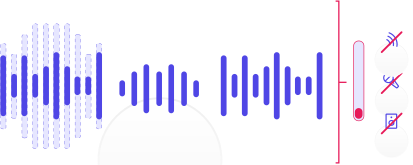
Deze audio maakt deel uit van "PURE SCIENCE Bewijzen voor het bestaan van God! Geen filosofie, logica, bijbelargumenten, enz. | Advanced Discipleship #4" van REAL Bible Believers, onder licentie van CC BY 3.0, bewerkt ten opzichte van het origineel
Vage audio of een spontane video. Verwijder nagalm automatisch. Voor als al je bewerkingen en instellingen mislukt zijn.
Of je nu een studiokwaliteit wilt, of ruwe opnames. Gewoon in 10 minuten. Met de AI-reverbremover.
Gewoon klikken en opschonen. Met een app voor echo-onderdrukking via AI.

Moet je op grote schaal nagalm uit audio of video verwijderen? Maar heb je daar geen dagen voor?
Toen je zin had om een podcast zonder bewerking op te nemen. Of geen apparatuur had om een voice-over op te nemen. Of je gast een echo had tijdens een Zoom-gesprek. Of je telefoonopname je in de steek liet met veel nagalm.
Schakel tussen de originele en de verbeterde audio zonder je plaats kwijt te raken.
Deze audio maakt deel uit van "Music Made For The Great Outdoors Podcast: Aflevering 1 Muziek & Ouderenzorg - De voordelen" van Percussion Play, onder CC BY 3.0 gelicentieerd, bewerkt op basis van het origineel
“Saved hours of editing with great customization”
Cleanvoice saved us hours of editing on a particularly rough piece of audio. We tried several solutions and Cleanvoice was the only one that gave us the balance we needed. As an agency we want to edit everything to ensure quality control but this first wave of editing is a lifesaver. The customization that Cleanvoice offers is what sets it apart, we look forward to seeing what's being developed next. If you are considering this software, lets this be the confirmation you need.
Cleanvoice filtered noisy traffic in Bengaluru's busiest streets and gave us a video that felt like studio voice quality. Must recommend
I have been giving business presentations for years, and I thought that I sounded good. So, I decided to put together a Google Sheets presentation. I purchased a mid range microphone, and started making the recordings for each slide. I tried 20 times to get a good clean recording, and could not do it. My recordings were all about 1 minute long. I found Cleanvoice.ai. I uploaded the audio files and in no time the software fixed my mistakes. I am very happy with the results. I know for a fact that if the audio is poor quality the hearers will grade everything else as poor quality. Again, I am extreemly pleased with this service.
i have shot over 7000 weddings on maui outside on the beach so i have some experience with wind/waves and all outside noices. as a guest i recorded a family wedding outside , in a rainstorm with my phone. Not only did this ai take out the raindrops but it adjusted the volume of both the groom facing me and the bride facing away. where have you been for the last 20 years? thank you. love cleanvoice..
I was looking all over the internet for a solution to my problem and cleanvoice helped me so much. This will help my business and my creative projects.
We found cleanvoice when we were looking for an audio provider for our platform. After head to head tests with Dolby and other ‘big players’, Cleanvoice was the clear winner. All of our users have raved about how good their audio sounds after using cleanvoice.
Just built this workflow in 10min for my video editing process. Most of the videos I record have bg noise that I used to remove using cleanvoice ai app. Now I just use their API to remove noise as soon as I upload the video in my Google drive. This is a small part of a large video production workflow I am trying to build for @MaximalStudio
“Try it once, and you'll wonder how you ever worked without it!”
As a podcaster who's been creating content for years, I know firsthand the pain of manually editing every single word and removing every tiny noise. Back then, a tool like Cleanvoice would’ve saved me hours of frustration and fatigue. Audio is something you simply can't afford to overlook and Cleanvoice is the one tool I trust to make it sound professional, fast. Do yourself a favour. Try it once, and you'll wonder how you ever worked without it!
Cleanvoice has revolutionized my audio editing process. This app is a game-changer, drastically reducing the time I spend cleaning up recordings. With its efficient noise reduction capabilities, I can now polish entire audio tracks in a fraction of the time. It's an indispensable tool for anyone working with sound.
We have dozens of old voice recordings on cassette that was done by the family as interviews in the early 80's and this whole library is now going to be available for the family, cleaned and digitized. This is amazing and mind blowing technology. The transcripts are fantastic, as we can also have a written copy of the interviews. Thankyou so much Cleanvoice! Amazing, Amazing, Amazing.
I have been a sound engineer since the late seventies & have composed and recorded over 2,100 songs. Since the digital revolution hit the music industry, we have searched for the best tools to clean, enhance & produce the very best sound for listeners. My peers & I have only used Adobe Audition, but using Clean Voice.AI this evening . . . I am totally gobsmacked AND blown away. I cannot believe Clean Voice.AI has such amazing AI tools to remove a constant hum on a video filmed 30 years ago. I will seriously urge & inform all the studios I have worked in over the last 42 years to visit and use Clean Voice. AI for sure. Thank you soooo very much for this. 'Raine Studios.
I'm a Japanese engineer who is about to post a podcast. First of all, the UX is just the best!! It's so awesome that they've set up a link with a keyword in the search box so I don't have to search for authentication emails! Furthermore, the ability to compare before and after editing is perfect, and it even shows what has been removed, how much, and when, which is absolutely excellent!! Furthermore, the fact that the API and SDK are open is an incredibly amazing feature for developers. I'm too happy. I was truly impressed that the design ensures that users who have never edited before, like myself, don't get lost!! I'll keep cheering you on 🎉
Stuur het door en je krijgt antwoord van een echte persoon.