
Edit your audio or video, enhance your voice, and even transcribe and summarize your podcast. All with Cleanvoice’s speech enhancement API.
Set up in clicks


SDK or REST. Edit, Enhance, and Transcribe. With Copy and Paste.
No code-change to use every feature. No back-forth between doc and your editor.
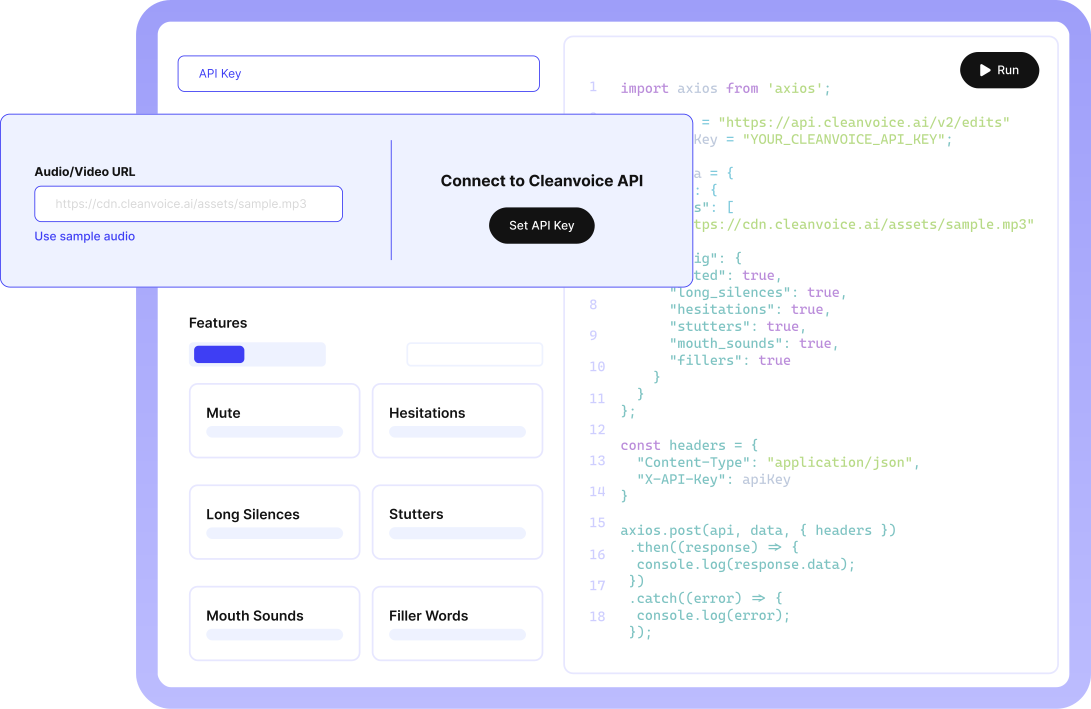
Try it in our playground and copy it to your project.
Python SDK
from cleanvoice import Cleanvoice
import os
from dotenv import load_dotenv

load_dotenv()

cv = Cleanvoice({'api_key': os.getenv('CLEANVOICE_API_KEY')})

result = cv.process(
    "https://cdn.cleanvoice.ai/assets/sample.mp3",
    {
        'normalize': True,
        'studio_sound': True,
        'fillers': True,
        'hesitations': True,
        'stutters': True,
        'long_silences': True
    }
)

print('Processed audio:', result.audio.url)
Try Cleanvoice API and All Features in Our Playground
With a sample audio or upload your own. Explore all endpoints.
30+ Brands Love Cleanvoice’s API. (And Their Studio-Sounding Recordings).
From Copying Your API Key to Your First Edited File. In 5 Clicks. In 5 Minutes.
No need to read a thousand-liner doc. Just keep hitting "next".
Sign up for free. Choose SDK or REST.
Auto-set API key and copy-paste code.

Click and make your first API request
Pay as You Use. Or Subscribe at Flat Fees.
No hidden cost or hours-limit. No algebra of usage spike vs. price.
Try Cleanvoice Risk-Free
Get 30 mins of free credits.
No credit card required
Need Enterprise-Level Solutions?
Need 200+ hours of editing or customization in API? Get a custom plan just made for you.
Let's Talk100s of files cleaned, converted to text, and enhanced. Without jumping between APIs.
Because your team hates API-clutter and wasting their weeks.
Sound studio-recorded. Without having one.
Remove reverb, echo, and distortion. Balance loudness. Soften or brighten voice. Studio-like, even from busy market.
Get Studio Sound
This audio is a part of ""What kind of echo will you leave when you're gone?" - The Positive Echo Podcast Ep. 2" by Start YOUR Livestream & Podcast with Carl Munson licensed under CC BY 3.0, edited from original
Many Ways to Edit It - Your Way.
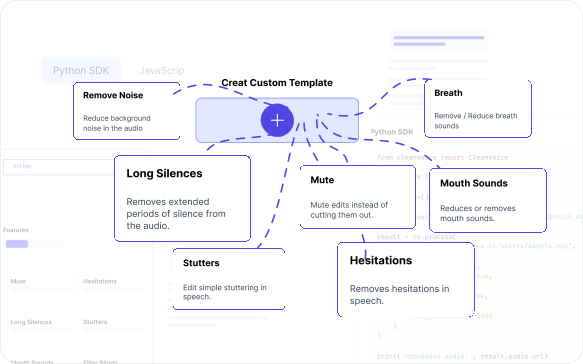
Custom Templates
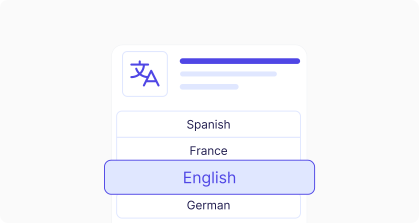
Supports 20+ languages
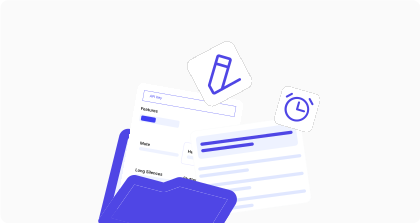
Timeline export and markers
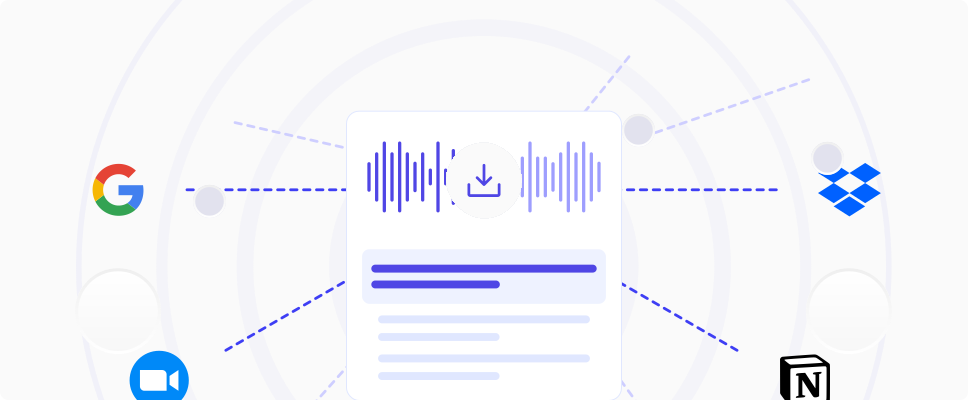
Download or export in multiple formats
Auto-Edit at Scale. Minus the Hassle.
For your podcasting app. Or audiobook. Or voiceover projects. Or Zoom meetings.
Adobe speech encancer limits you while editing multiple large files? Try Cleanvoice’s studio sound API.
Upload and edit all files at once.
Either as a multitrack. To sync them as one recording. Or as batch files, for separate episodes.
Need our Speech Enhancement API for Your Startup?
Want to edit audio or video, or transcribe recordings at scale for your startup? But have limitations of team and budget?
Startup program
Get up to 200 hours of free API credit. Request it from the API Keys page in the app.
Your Data Safety First
Compliance with GDPR. Data stored in EU. ISO 27001 Certified.

Here’s why 40K+ creators love cleaning up audio and video with Cleanvoice
My recording was awful. I recorded it outdoors on an inspiring walk and the ideas flowed. The words were excellent. The recording was awful. Back in my office I attempted to record the same words using a laptop and an expensive microphone, but the inspiration was not there. A sad ending to the day? Not at all. I found Cleanvoice! Using the original recording - filled with gusts of wind, deep breaths and long pauses - I got what I wanted and needed most. A perfectly paced, inspiring monologue of instructions and inspiration in a clean voice. And that was just the free trial. Cleanvoice gave me what I needed as a demo of what they could do, so I am giving them this testimonial as my thanks to them. Now I must consider how I want to make my recordings in the future - on long inspiring walks with gusts of wind, or in a studio with an expensive microphone?
The best thing I like about cleanvoice is that it is easy to use, quickly responsive and hurdle free processing. Also it does not ditch you on the point where you are just about to download the audio and a notifications comes to you to pay 40$ a month. As a freelance worker, it smoothen my work and make it easy for me to do voice overs wherever I want cause at the end it will clean out everything for me. I have recommended to many of my colleagues to use it to get their voice overs cleaned. Five stars!
Thank you very much for the opportunity to perform a test with your program! I had a voice that sounded very bad and with your help I managed to filter it so that it sounded more than decent. Keep up the good work!
your tool is better then adobe podcast bcuz adobe podcast change pitch and tone of some words but your tool is just perfect
I was looking all over the internet for a solution to my problem and cleanvoice helped me so much. This will help my business and my creative projects.
I loved this app! It removed a lot of my stutters and made my words sound way clearer and profound, also making the audio seem more balanced. I would recommend this to video creators!
Just built this workflow in 10min for my video editing process. Most of the videos I record have bg noise that I used to remove using cleanvoice ai app. Now I just use their API to remove noise as soon as I upload the video in my Google drive. This is a small part of a large video production workflow I am trying to build for @MaximalStudio
i have shot over 7000 weddings on maui outside on the beach so i have some experience with wind/waves and all outside noices. as a guest i recorded a family wedding outside , in a rainstorm with my phone. Not only did this ai take out the raindrops but it adjusted the volume of both the groom facing me and the bride facing away. where have you been for the last 20 years? thank you. love cleanvoice..
Worked like magic! My daughter recorded a video for a project that had a ton of background noise and I thought she was going to have to redo it all. A desperate Google search for solutions led me to Cleanvoice, and within a few minutes it had completely salvaged the video. Thanks so much!
Great work cleanvoice.ai! You got me rid of all the disturbance noise that were in my audio message. Actually I was in a train to a surprise visit to someone, who I told I was in my home. Now, I got rid of all the train background noises in my msg and I sent it to the person, who believes that I'm indeed at home.
Cleanvoice has revolutionized my audio editing process. This app is a game-changer, drastically reducing the time I spend cleaning up recordings. With its efficient noise reduction capabilities, I can now polish entire audio tracks in a fraction of the time. It's an indispensable tool for anyone working with sound.
you guys are just simply amazing. Nothing short of it. The quick edits, the suggested social media posts, and the nesletter suggestion is just awesome. Keep up the good work and yes, i would recommend to friends.
I love it literally got rid of the nuisance of dead air. definitely recommend
I have been a sound engineer since the late seventies & have composed and recorded over 2,100 songs. Since the digital revolution hit the music industry, we have searched for the best tools to clean, enhance & produce the very best sound for listeners. My peers & I have only used Adobe Audition, but using Clean Voice.AI this evening . . . I am totally gobsmacked AND blown away. I cannot believe Clean Voice.AI has such amazing AI tools to remove a constant hum on a video filmed 30 years ago. I will seriously urge & inform all the studios I have worked in over the last 42 years to visit and use Clean Voice. AI for sure. Thank you soooo very much for this. 'Raine Studios.
Cleanvoice has solved all my podcasting-headaches! I used to lose hooours in editing my podcasts to remove filler words, sounds and "speaking sounds" that made it impossible to listen to myself and why I didn't publish an episode un-edited. Now that's all in the past, it now takes me less than 5 minutes to upload & download my episode in Cleanvoice. I'm forever grateful for your service! Kind regards from Belgium :)
For many of my tracks it makes audiobook producing painless. Saves so time!
“Better than Audacity and Adobe's Podcast”
I tried to edit my audio using audacity software to clear background continuous hissing noise, but i couldn't remove it completely. I even tried adobe's podcast to improve it. The kind of clarity and crisp i got in Cleanvoice is the best i got from anywhere else. It does it - "clean voice". I recommend it.
This was such a convenient and easy way to clean up a video! I spent time recording something only to realize how loudly it picked up the fan. This removed the fan sound and left me with a crisp sounding video. THANK YOU!
I'm a pastor who edits my own sermons for 30-minute radio spots. Cleanvoice has not only reduced background noise to professional-level quality, but made the editing process SO MUCH EASIER by removing the "umm's" and other stutters I tend to have.
I just discover this app Cleanvoice because i have video that have so much noise at the background and I was so amazed for the clean video results after I uploaded it! WOW! This is an amazing app. You have to try it!
Perguntas frequentes.
Ainda tem alguma dúvida?
Manda a tua pergunta e alguém vai responder.