Stille Entferner
Atemgeräusche entfernen mit KI: Cleanvoice nimmt laute Atemzüge aus Audio und Video, damit deine Stimme flüssig klingt.
Ohne Anmeldung ausprobieren. Keine Kreditkarte erforderlich.


Ob Sie ausgeatmet haben. Oder Ihr Gast in das Mikrofon gepustet hat. Trotzdem wollen Sie einen fehlerfreien Podcast.
Ein Atem-Entferner, um all Ihre Atemzüge zu bearbeiten. Und der Ton wird im Studio aufgezeichnet.
Verabschieden Sie sich sofort von schwerem Atem. Selbst wenn Ihre Aufnahmeeinrichtung versagt.
Schweren Atem entfernen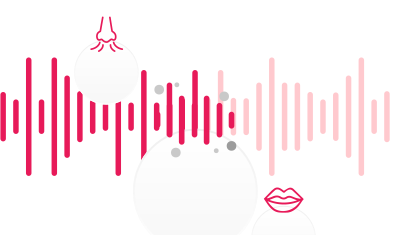
Diese Audio-Datei ist ein Teil des Podcasts "Podcast 200 // Spezial - was wir gelernt haben + Lieblingsgäste" von School of Calisthenics lizenziert unter CC BY 3.0, bearbeitet vom Original
Einfach wie 1-2-3. Mit AI Atementferner.
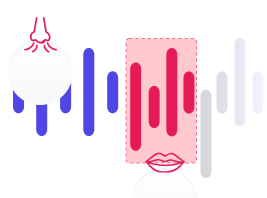

Selbst wenn Ihr Voiceover flüstert. Oder Sie wollen, dass Ihr Hörbuch professionell klingt. Oder Sie wollen einen rauen, aber klaren Podcast und Gesang.
Wechsle zwischen Original- und verbessertem Audio, ohne deine Position zu verlieren.
Dieser Ton ist ein Teil des "Podcast 222 // Bedeutung von JAW-Krafttrainingslagern" von School of Calisthenics lizenziert unter CC BY 3.0, bearbeitet vom Original
My recording was awful. I recorded it outdoors on an inspiring walk and the ideas flowed. The words were excellent. The recording was awful. Back in my office I attempted to record the same words using a laptop and an expensive microphone, but the inspiration was not there. A sad ending to the day? Not at all. I found Cleanvoice! Using the original recording - filled with gusts of wind, deep breaths and long pauses - I got what I wanted and needed most. A perfectly paced, inspiring monologue of instructions and inspiration in a clean voice. And that was just the free trial. Cleanvoice gave me what I needed as a demo of what they could do, so I am giving them this testimonial as my thanks to them. Now I must consider how I want to make my recordings in the future - on long inspiring walks with gusts of wind, or in a studio with an expensive microphone?
It is absolutely unbelievable. I had a 90 seconds of footage from a very noisy crowded bicycle race in Belgium. I would like to use that in my reels but with all those wind and noise from supporters I didn't have that opportunity. Thanks to Bard from google, suggested me the cleanvoice.ai. With 30 min. free I turned my footage like a studio recorded quality video. Thanks.
Best Application for Noise Reduction most breath or blast sound removed by clean voice app i recommend this website to my friends and family too
Wonderful - I was soooo surprised with the result - It cleaned up the buzzing and hiss - Thank you - My highest recommendation to anyone
Great service, and fast! My expectations are usually pretty high, but you guys exceeded what I was looking for. My new audiofile (without all the breathing and train noises in the background) sounds stellar! Thanks much.
Thank you! Very pleased with the functionality! It was necessary to remove sighs and noise from the audio track, the program did an excellent job.
this is amazing it removed basically all the breathing
Rally nice service, the processed file was so clean , no noice , no barkings, removed all the breaths and mouth sounds, would use again when needed
Its Amazingg... I have been madly searching for something that clears the unwanted noise including the breathing sound from my audios. and guess what, I came across this amazing app. I am happy I found this!
Absolutely perfect! My main issue is lots of mouth sounds/breathing which would previously take an extremely long time to fix. The fact that this lets you set specific kinds of fixes to do and has an option to only mute rather than entirely remove really helped me focus on just the fixes I needed for my projects.
I am delightfully surprised by the results. Removed all the heavy inhalations that were picked up in my video. Very impressed!
Schick sie uns, und ein echter Mensch antwortet dir.