โปรแกรมกำจัดเสียงรบกวนพื้นหลัง
Cleanvoice ปรับปรุงเสียงด้วย AI โดยลบเสียงรบกวนและเสียงสะท้อน และปรับเสียงพูดในไฟล์เสียงและวิดีโอให้สมดุลโดยอัตโนมัติ
ลองโดยไม่ต้องลงทะเบียน


ปรับปรุงคุณภาพเสียงและเสียงวิดีโอ โดยไม่ต้องเสียเวลาหลายชั่วโมงในการเรียนรู้การตัดต่อ
ลบเสียงรบกวนที่ดังมากออก ให้เสียงเหมือนบันทึกในสตูดิโอ
ลบเสียงรบกวนพื้นหลัง

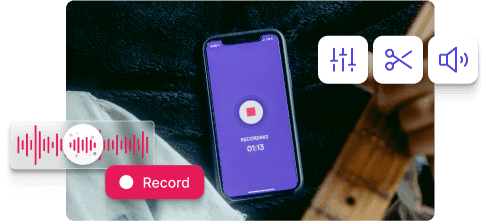
วิธีทำให้การบันทึกเสียงที่ไม่ดีฟังดูดีขึ้น? และเปลี่ยนให้กลายเป็นคุณภาพระดับสตูดิโอ...


ต้องการปรับปรุงเสียงหรือวิดีโอในระดับใหญ่? ประหยัดค่าใช้จ่ายและไม่ต้องเสียเวลาหลายชั่วโมงของทีมคุณ?
I have been a sound engineer since the late seventies & have composed and recorded over 2,100 songs. Since the digital revolution hit the music industry, we have searched for the best tools to clean, enhance & produce the very best sound for listeners. My peers & I have only used Adobe Audition, but using Clean Voice.AI this evening . . . I am totally gobsmacked AND blown away. I cannot believe Clean Voice.AI has such amazing AI tools to remove a constant hum on a video filmed 30 years ago. I will seriously urge & inform all the studios I have worked in over the last 42 years to visit and use Clean Voice. AI for sure. Thank you soooo very much for this. 'Raine Studios.
Incredible service for a great price. I was never able to successfully get out breaths using Adobe Audition and had to edit each one individually which took literally hours for 20 minute piece. Cleanvoice easily saves me 20 hours per month.
For many of my tracks it makes audiobook producing painless. Saves so time!
“Better than Audacity and Adobe's Podcast”
I tried to edit my audio using audacity software to clear background continuous hissing noise, but i couldn't remove it completely. I even tried adobe's podcast to improve it. The kind of clarity and crisp i got in Cleanvoice is the best i got from anywhere else. It does it - "clean voice". I recommend it.
I had a old, short recording of a very sad graveside funeral, where the cassette tape had a great deal of background noise. I converted the tape to an mp3 and Cleanvoice did an excellent job of removing the background noise making the recording much easier to hear. I was very thankful for the clear recording.
Cleanvoice is terrific for rough editing. Once I record an interview I upload the channels onto the app and it removes all the extra BS that I normally spend hours editing out. This helps me to then go straight to finish edits and sound balancing, saving hours of editing. Thank you.
Excellent, amazing tool! With just one click in 4 minutes it automatically removed 231 nasty sounds from my 16-minute audio recording. A huge time-saver, this is my new favorite must-have tool.
AMAZING TOOL! Love it. Thank you. It saved me 3 hours! Love you.
Cleanvoice has solved all my podcasting-headaches! I used to lose hooours in editing my podcasts to remove filler words, sounds and "speaking sounds" that made it impossible to listen to myself and why I didn't publish an episode un-edited. Now that's all in the past, it now takes me less than 5 minutes to upload & download my episode in Cleanvoice. I'm forever grateful for your service! Kind regards from Belgium :)
Worked like magic! My daughter recorded a video for a project that had a ton of background noise and I thought she was going to have to redo it all. A desperate Google search for solutions led me to Cleanvoice, and within a few minutes it had completely salvaged the video. Thanks so much!
Great work cleanvoice.ai! You got me rid of all the disturbance noise that were in my audio message. Actually I was in a train to a surprise visit to someone, who I told I was in my home. Now, I got rid of all the train background noises in my msg and I sent it to the person, who believes that I'm indeed at home.
I'm a pastor who edits my own sermons for 30-minute radio spots. Cleanvoice has not only reduced background noise to professional-level quality, but made the editing process SO MUCH EASIER by removing the "umm's" and other stutters I tend to have.
While I use Hindenburg Pro for my audio and editing needs, it just isn't enough and that's where Cleanvoice comes in to make everything perfect. I am so pleased with the results of Cleanvoice.
Okay so Within 10 minutes I edited my 4 videos for background noises and really it's so effective. Cleanvoice reduces bg noises by more than 95%. I would very much recommend using it.
i have shot over 7000 weddings on maui outside on the beach so i have some experience with wind/waves and all outside noices. as a guest i recorded a family wedding outside , in a rainstorm with my phone. Not only did this ai take out the raindrops but it adjusted the volume of both the groom facing me and the bride facing away. where have you been for the last 20 years? thank you. love cleanvoice..
My recording was awful. I recorded it outdoors on an inspiring walk and the ideas flowed. The words were excellent. The recording was awful. Back in my office I attempted to record the same words using a laptop and an expensive microphone, but the inspiration was not there. A sad ending to the day? Not at all. I found Cleanvoice! Using the original recording - filled with gusts of wind, deep breaths and long pauses - I got what I wanted and needed most. A perfectly paced, inspiring monologue of instructions and inspiration in a clean voice. And that was just the free trial. Cleanvoice gave me what I needed as a demo of what they could do, so I am giving them this testimonial as my thanks to them. Now I must consider how I want to make my recordings in the future - on long inspiring walks with gusts of wind, or in a studio with an expensive microphone?
The best thing I like about cleanvoice is that it is easy to use, quickly responsive and hurdle free processing. Also it does not ditch you on the point where you are just about to download the audio and a notifications comes to you to pay 40$ a month. As a freelance worker, it smoothen my work and make it easy for me to do voice overs wherever I want cause at the end it will clean out everything for me. I have recommended to many of my colleagues to use it to get their voice overs cleaned. Five stars!
Cleanvoice has revolutionized my audio editing process. This app is a game-changer, drastically reducing the time I spend cleaning up recordings. With its efficient noise reduction capabilities, I can now polish entire audio tracks in a fraction of the time. It's an indispensable tool for anyone working with sound.
Probably this is the only tool that did justice to the name. Clean voice means super clean voice , nothing less! Wonderful audio analysis and précised treatment. This is next level. Setting up the tone and keeping the original voice is the main challenge. most of the AI compresses too hard and chops voices leading it to blabbering , Cleanvoice keeps the original voice, tone, pronunciations, enunciations everything intact. Go for this, you won't be wrong. Save time and have a great audio. Cheers!
INCREDIBLE!! It was super easy, very quick and user friendly. (even for someone not so computer savvy). I will definitely recommend Clean Voice to everyone! Thanks for a fantastic product!
I am impressed with the quality of Cleanvoice's service. With just a few clicks, I was able to remove distracting background noise from a 4.5 minute video, free of charge, and the artificial intelligence behind it did it in less than 30 minutes with outstanding accuracy. I'm blown away by this service and highly recommend it to anyone who needs a tool like this, without any hesitation. I intend to use it again myself in the future if the need arises.