How to Set Up a 4-Person Podcast for Professional Audio Quality

Quick Summary
This guide walks you through everything you need to create a professional 4-person podcast setup. You'll learn about essential equipment, recording best practices, common pitfalls to avoid, and how Cleanvoice's AI-powered editing features can transform your multi-track recordings into polished episodes in minutes.
Is Your Multi-Host Podcast Turning Into an Audio Nightmare?
Recording a podcast with four voices can quickly spiral into a madhouse. One person's mic is peaking while another barely registers. Background noise creeps into every track. Someone clears their throat, and it echoes across all channels.
For podcast producers and editors running group shows, managing four separate audio sources while maintaining professional quality might feel overwhelming.
In this Cleanvoice guide, we're breaking down exactly how to build a 4-person podcast setup that delivers crystal-clear, balanced audio every time.
Why Listen to Us?
At Cleanvoice, we've helped 15,000+ podcasters, audio engineers, and content teams overcome the challenges of multi-person recordings. Our AI has processed millions of minutes of group conversations, removing filler words, balancing uneven audio, eliminating distracting background noise, and removing reverb and ehco. This hands-on experience qualifies us to guide you in building a reliable 4-person podcast setup.
What You Need for a 4-Person Podcast Setup
Running a four-person podcast means juggling more voices, gear, and logistics than a typical two-person show. Beyond microphones and mixers, the right supporting tools can make your recording smoother, cleaner, and more enjoyable for everyone involved.
Here’s what to include in your setup to achieve professional results.
Multi-Input Audio Interface or Mixer

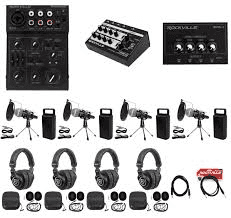
With four hosts or guests, you’ll need an audio interface or mixer that supports at least four XLR microphone inputs. This ensures everyone’s voice is captured independently, allowing better balance during recording and editing.
Top Picks:
-
Focusrite Scarlett 18i8 (3rd Gen), clean preamps and four inputs.
-
Zoom PodTrak P8, designed for podcasters, with built-in recording and headphone outputs for each speaker.
Choose a mixer with gain knobs for each channel so you can adjust volume levels in real time.
Cable Organizer & Management System
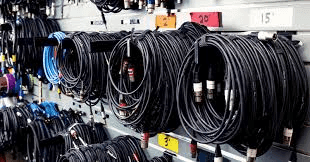
A clutter-free workspace makes your podcast flow smoother and prevents accidental unplugging mid-recording. With four microphones, multiple headphones, and power cords, tangled cables can quickly become chaotic. A cable management system, including Velcro straps, clips, and under-desk trays, keeps everything tidy and labeled.
Top Picks:
- JOTO Cable Sleeve ($15)
- BlueLounge CableBox ($30)
Label both ends of every cable (e.g., “Mic 1” or “Headphones B”) and secure extra length in loops, not tight coils, to avoid interference and signal hums.
Use our guide to podcast mixing for content creators to learn more about sound mixing.
Headphones for Monitoring

Each host should wear closed-back headphones to prevent mic bleed and allow real-time monitoring. This helps catch issues like peaking, distortion, or dead mics before they ruin your recording.
Top Picks:
- Audio-Technica ATH-M20x / M50x
- Sony MDR-7506
- Beyerdynamic DT 770 Pro
Always monitor with the same pair of headphones you use for editing, this ensures consistency in how you hear your audio.
Check out our list of the best headphones for every budget.
Mic Stands or Boom Arms
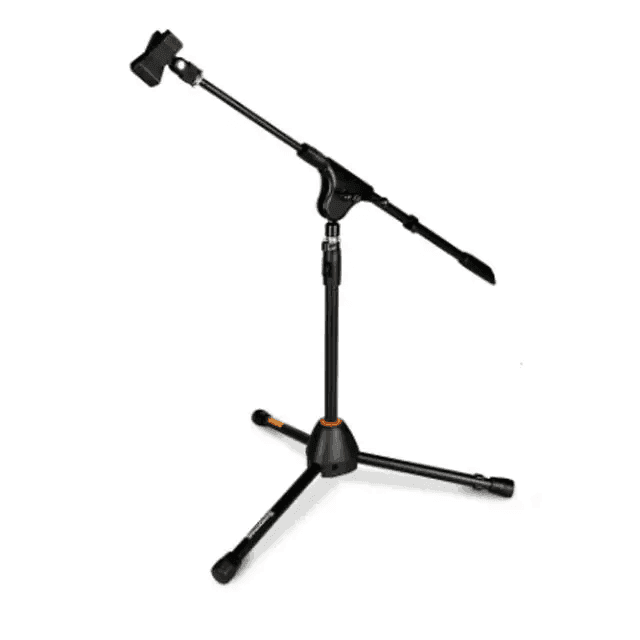
Mic stands and boom arms are essential podcasting accessories that help keep your setup organized and your audio consistent. They hold your microphone in the perfect position, close enough to capture clear vocals but far enough to reduce plosives and breathing noise.
Top Picks:
- Elgato Wave Mic Arm LP ($99): Sleek, low-profile, and perfect for desk setups.
- RODE PSA1+ ($129): Premium, silent movement, and strong build.
- Neewer Adjustable Mic Stand ($45): Budget-friendly with solid flexibility.
Pair your boom arm with a shock mount to absorb vibrations from movement or desk contact.
See our top options for the best affordable mic stands for podcasting.
Universal Shock Mount
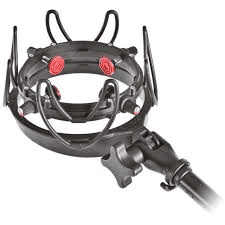
A universal shock mount keeps your microphone steady and free from unwanted vibrations caused by typing, table bumps, or mic handling. It suspends the mic with elastic bands or springs, isolating it from mechanical noise and low-frequency rumble.
Top Picks:
- Aokeo Universal Shock Mount ($20)
- Rode PSM1 ($39)
- Heil Sound PRSM-B ($119)
Combine with a boom arm for maximum isolation. Always check your mic’s diameter to ensure a secure fit.
Recording Best Practices for 4-Person Podcasts
Consistent Mic Technique
Each host should stay 3–4 inches from the mic, speaking directly into it rather than at an angle. Mark positions with tape and remind speakers to maintain the same posture throughout the session.
Countdown Start
Kick off every recording with a clear “3, 2, 1…” to synchronize energy and focus. This also creates an easy edit marker and makes multi-track alignment much smoother.
Monitor Levels
Assign one person to watch levels consistently, keeping peaks between -12 dB and -6 dB. Always adjust gain on the interface instead of asking speakers to talk louder or softer.
Cleanvoice can help you detect and fix volume inconsistencies during the editing phase, but starting with properly balanced levels saves enormous amounts of time and produces more natural-sounding results.
Kill Background Noise
Shut down air conditioners, fans, and other noise sources before recording begins. Choose smaller rooms with carpets or curtains to absorb echoes and reduce unwanted reflections. If, perhaps, noises are indeed captured, use Cleanvoice to clean them out afterwards.
Headphones Required
All participants must wear closed-back headphones during the session without exception. This prevents mic bleed and lets speakers catch mouth pops, rustling, or low volume instantly.
Speaking Protocols
Agree on simple cues to manage conversation flow. Establish these ground rules before recording:
- Hand Signals or Visual Cues: Create a simple, clear system for indicating when someone wants to jump into the conversation next, preventing constant interruptions.
- Pause Briefly Before Responding: Even half-second pauses between different speakers make editing transitions dramatically cleaner and more natural-sounding.
- Avoid Rapid-Fire Exchanges: Save the quick back-and-forth conversational style for video podcasts, where visual cues and facial expressions help viewers easily follow along.
Separate Tracks
Always record each participant on an isolated track for full control. This makes it easier to balance voices, apply equalization (EQ) individually, and remove noise or mistakes cleanly.
Run a quick sound check
Record a 10–15 second test clip before you start. Listen for clipping, uneven levels, or background noise. It’s much easier to fix setup issues before the full session than after.
Tools like Cleanvoice make processing, automatically syncing, and professionally polishing individual tracks significantly faster and more efficient than tedious manual editing approaches.
Document Settings
Take photos of your mixer and save software configurations once everything is dialed in. This ensures consistent quality across episodes and saves time troubleshooting.
Room Tone
Capture 30–60 seconds of silence with all mics on before the session begins. This helps create a clean noise profile, making post-production and background noise reduction more effective.
How Cleanvoice Resolves Audio Problems in 4-Person Podcasts
Four voices mean four chances for background noise, uneven speaking volumes, and distracting sounds that pull listeners away from your content.
Here’s how Cleanvoice can help:
Watch Cleanvoice’s Studio Sound in Action:
See how Cleanvoice automatically enhances your podcast audio, removing noise, balancing voices, and creating a polished mix ready for publishing.
Step 1: Sign Up
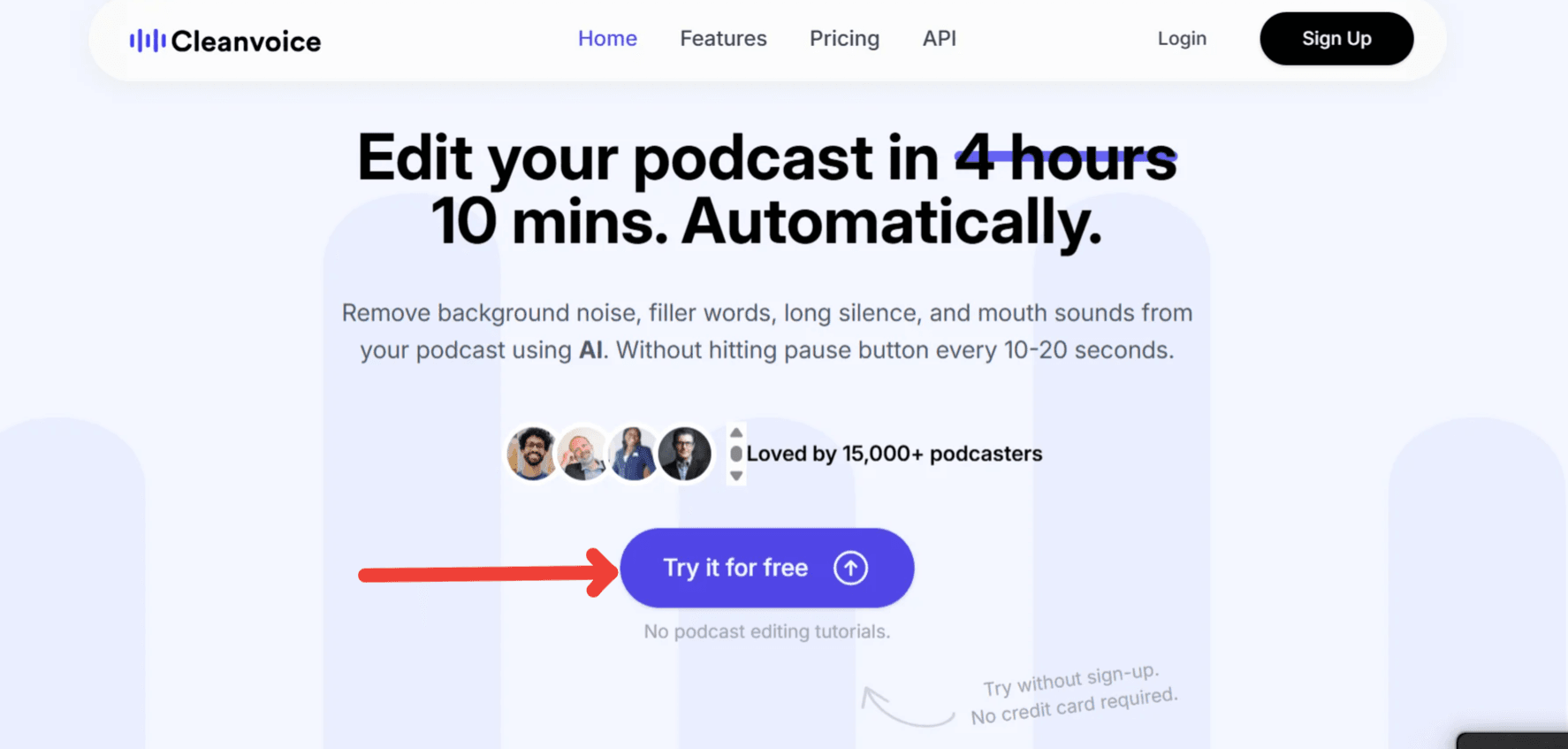
Visit the Cleanvoice website and select "Try it for Free."
- You don’t need a credit card.
- Verify your email before you proceed—just check your inbox and confirm.
- Enjoy 30 free minutes of audio editing to try our features.
This free trial gives you enough time to process one full episode and enjoy a cleaner audio experience.
Step 2: Open the Dashboard & Upload Your Audio Files
After signing in, you'll be directed to your Cleanvoice dashboard, where you can upload and edit episodes. Import your files via any of these options:
- From your device
- Paste a link
- Import from Google Drive
- Record directly
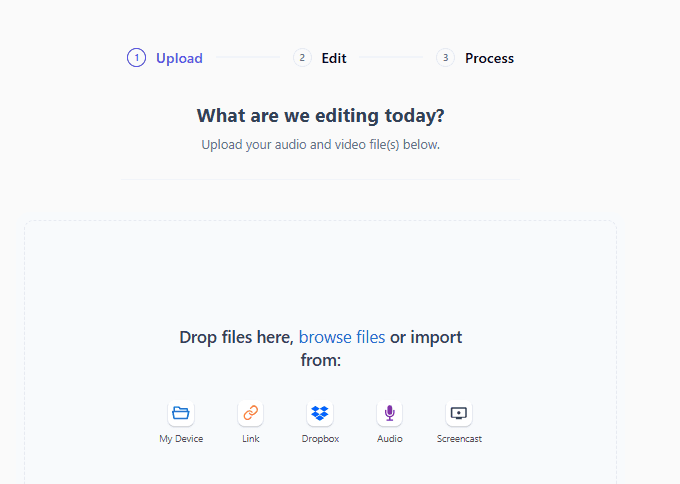
For this walkthrough, let's upload a file from your device.
Once uploaded, click "Add more" to include additional tracks. Cleanvoice supports batch uploads, which is perfect for processing 4-person podcasts recorded on separate audio files.
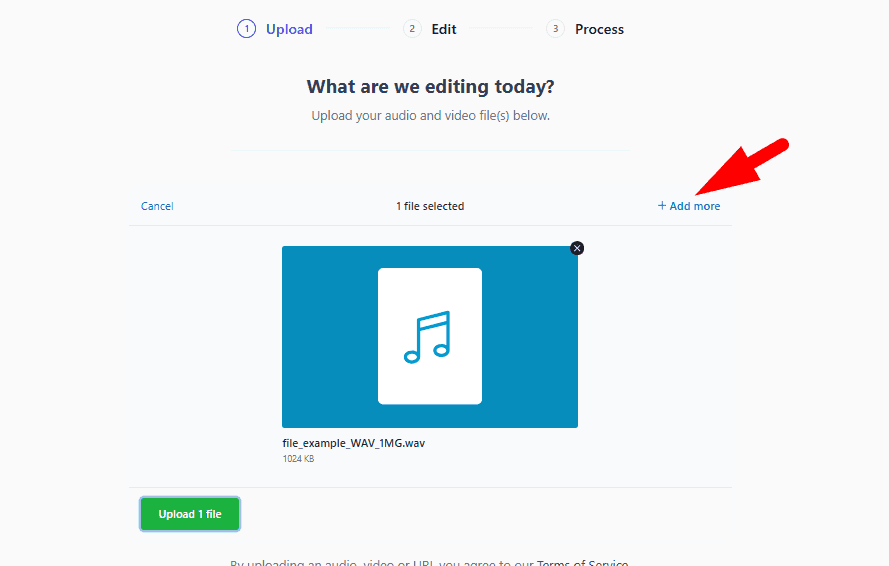
After adding the second file, you’ll need to choose between two options:
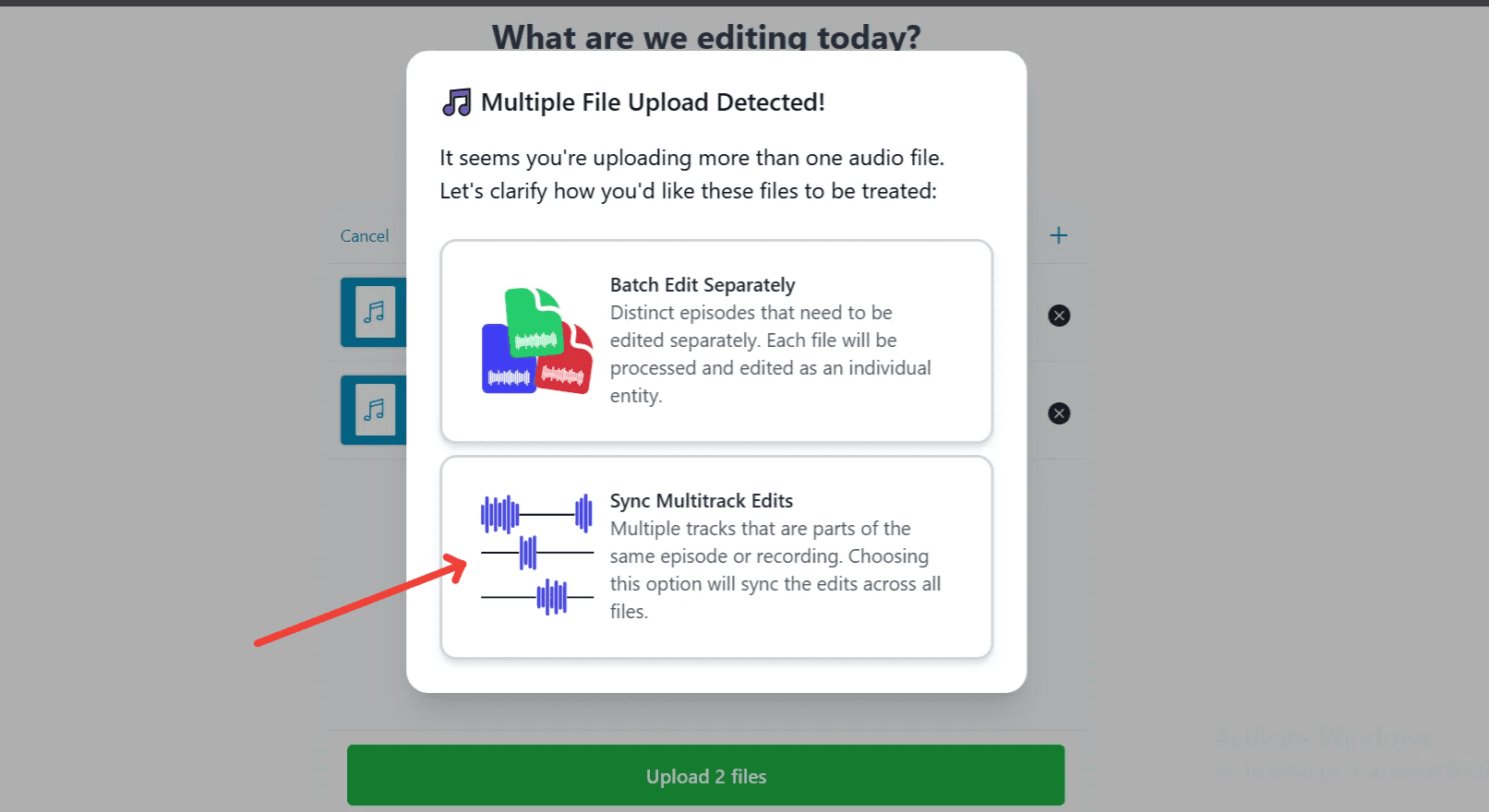
- Batch Edit Separately: Use this option for unrelated episodes or recordings.
- Sync Multitrack Edits: This works for editing multiple tracks from the same conversation.
Select "Sync Multitrack Edits" when editing so that the AI feature keeps all the speakers in sync. If it removes a filler word on one track, the timing adjusts automatically on the others.
Click "Upload files" to continue.
Step 3: Select an Editing Template
Uploaded your files? Cleanvoice will display two main templates next:
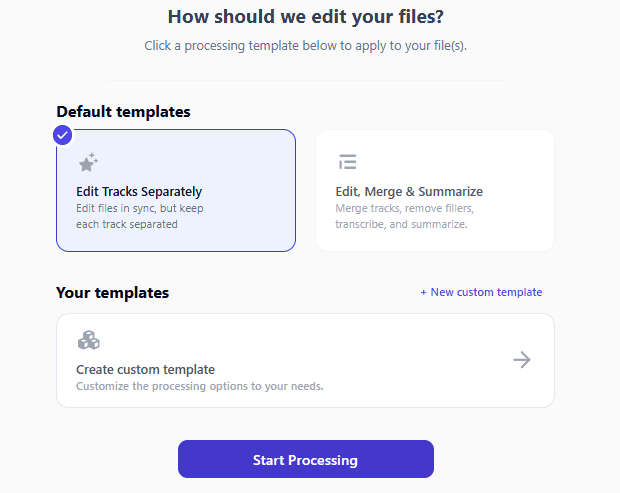
- Edit Tracks Separately: Use this if each speaker’s track needs different processing.
- Edit, Merge & Summarize: Ideal for four-person recordings that will be published as one episode. This template merges all tracks, removes filler words, and creates a transcript and summary automatically.
If you want even more control, click "+ New Custom Template" and customize your workflow:
- Edit Block: Remove hesitations, stutters, long silences, mouth sounds, and filler words, and merge tracks.
- Enhance Block: Remove breaths, reduce background noise, balance volume levels, apply studio sound, or use auto-mixer to manage mic bleed.
- Export Options: Generate transcript, create summary, prepare short-form clips for social content.
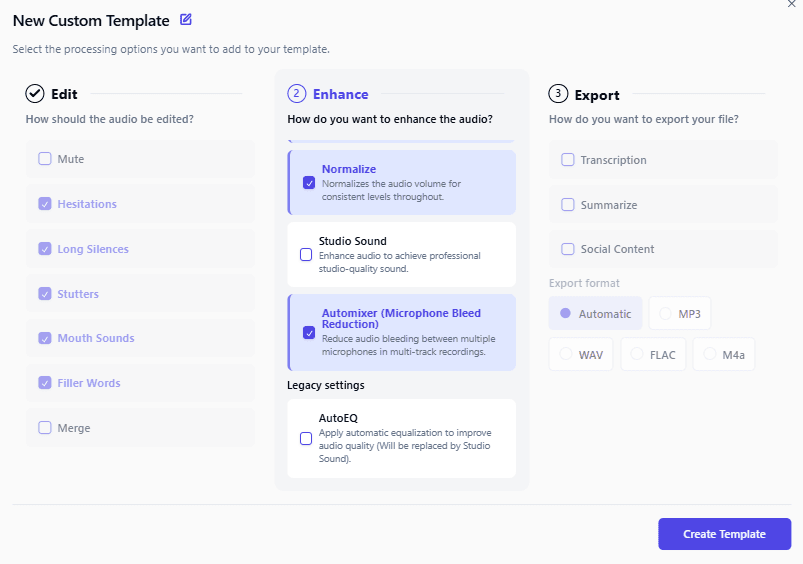
Before you proceed, rename your new template to something like "Four-Person Podcast Cleanup," then click "Create Template."
- For this example, let’s use the Edit, Merge & Summarize template since it’s great for producing polished, ready-to-publish audio files for multi-host episodes.
Step 4: Start Processing
Once you select "Start Processing," Cleanvoice's AI starts working on your tracks. Select the Edit, Merge & Summarize template, and the platform will:
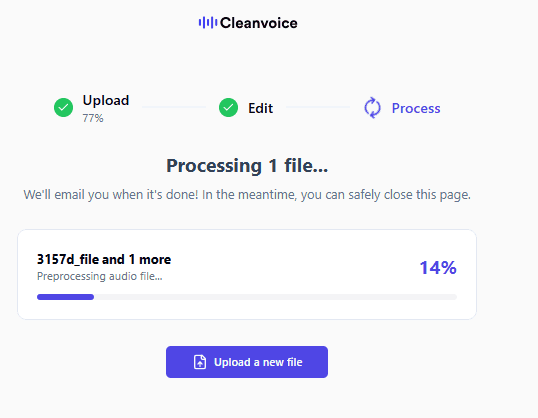
- Merge all four tracks into a single, polished episode
- Balance volume between speakers so no one sounds too loud or too quiet
- Remove background noise, mouth sounds, and filler words
- Keep all voices perfectly synced for natural conversation flow
- Generate a full transcript and episode summary within minutes
Processing typically takes less than 10 minutes, even for multi-track recordings, giving you a file that’s ready to publish almost immediately.
Step 5: Review and Refine Your Final Mix for Quality
Once processing is done, you'll see a single timeline showing your combined and cleaned episode.
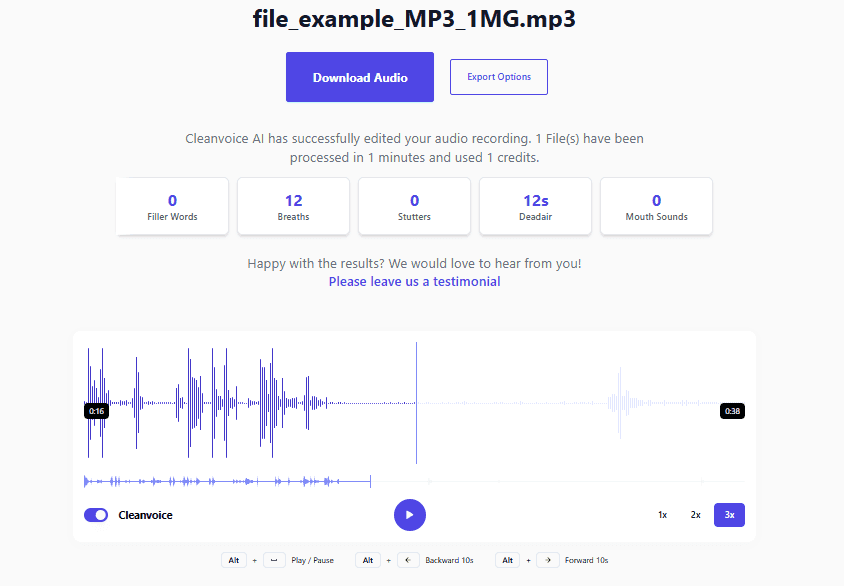
- Preview the file to hear the enhanced version with balanced, smooth audio.
- Check that the auto-generated transcript and summary match your audio
- Inspect markers to see where Cleanvoice applied changes.
- If needed, fine-tune the pacing. You can restore a laugh, a natural pause, or any key moment that adds personality to your show.
Since all the tracks have been merged, any manual edits will apply to the entire episode instead of just individual voices.
Step 6: Download Your Complete Episode
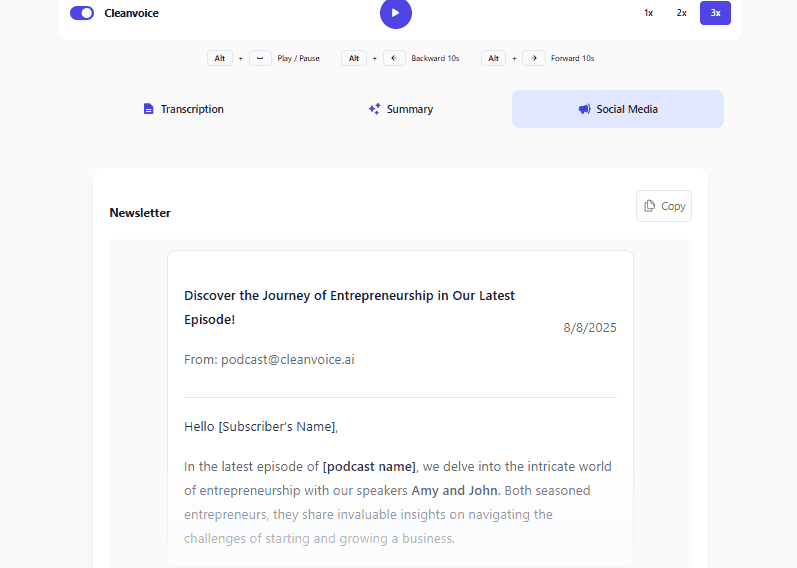
Happy with your edit? Click "Download Audio" to save the final file in your preferred format. You can also export the transcript and summary for your show notes, blog posts, or social media snippets.
You can then:
- Upload your finished episode to your hosting platform.
- Sync the audio with video footage for a video podcast.
- Share the file and transcript with co-hosts or editors for a final review.
Simplify Multi-Host Podcast Editing with Cleanvoice
Even with a professional setup or the best gear, multi-person recordings can take hours to clean manually. Cleanvoice simplifies the entire process, helping you produce crystal-clear 4-person podcast episodes.
Its AI-powered editing tools balance voices, remove distractions, and even generate transcripts and summaries automatically. By merging tracks and polishing your audio in minutes, Cleanvoice lets you fast-track editing and spend more time creating.
Don't let tedious audio cleanup slow you down. Try Cleanvoice for free today, hear the difference yourself.