




October 21, 2026 · 9 min read
Studio Sound Javelin for Speech Enhancement: Closer to Your Natural Voice
Studio Sound Javelin is Cleanvoice’s latest AI audio enhancement model. It not only improves your voice or speech, but also predicts how your voice would sound. So your recording still sounds like you, but with studio quality.
This update at a glance
More consistent results
Steadier than before, even for worse audio.
Less robotic results
Fixed the singing effects produced while enhancing complex audio.
Better with crosstalk
Clearer results when two people’s conversations overlap.
Improved echo and reverb removal
No crackly, harsh sounds while removing echo and reverb now.
Less harsh sounds
Cleaner higher frequencies, fixed distortions and audio artifacts. Great for Zoom, Google Meet and outdoor recordings.
No harsh “sss” sounds
An improved de-esser.
Web app and API
Available for both web app and API users.
Also enhances singing
Enhances vocals too.

Javelin in 1 minute
- What it is
- Studio Sound Javelin (Studio Sound v4) is Cleanvoice’s latest AI speech enhancement model. We train and build our own model. It’s our most stable and most natural-sounding version yet.
- What it fixes
- Fixes audio distortion and clipping
- Removes echo and reverb
- AutoEQ (adjusts frequencies) to soften or brighten your voice
- Fixes audio artifacts (works great for AI voiceovers and text-to-speech)
- Clears up overlapping speech
- Also removes noise
- How it enhances your voice recording
- It identifies your phonetic sounds, and pays closer attention to your original voice. Hence, it can work with multiple accents and languages.
- What changed
- A much larger voice generator, a new refinement stage for artifacts, and 3D acoustic simulations of rooms for echo and reverb removal.
- Where to use it
- In the Cleanvoice web app and through the API, for both audio and video files.
Make your audio sound professional.




All Content Creators
Whatever you record, wherever you record it.
- Podcasts
- YouTube videos
- Voiceovers
- Audiobooks
- Vlogs
- Interviews
- Courses
- Seminars and lectures
- Zoom and Google Meet recordings
Teams and platforms, through the API
Enhance recordings in your app with one SDK call.
Video and podcast platforms
Studio sound on every upload, before it’s published.
Online learning
Lectures from classrooms and kitchens, sounding booth-recorded.
Meetings and calls
Clean call recordings before they’re shared, transcribed or archived.
AI voices and text-to-speech
Fix the artifacts in generated speech so it sounds natural.
Dubbing and localisation
One consistent sound across every language and room.
Creator and social apps
Phone recordings that sound like they were made with a real mic.























A decent recording. Or extremely messy audio or video sound. Turn it into studio sound.
Whether you recorded your podcast outdoors or your audiobook in an empty room, or had a Zoom meeting or lecture series recorded on a laptop.
Pick a problem to hear it
Audio distortion
A loud guest closer to the mic clipped the audio.
Smooths the harsh, crackly highs and sss-sounds, or a voice that sounds broken.
Echo and reverb removal
Recorded in an untreated room, with no soundproofing. Or that seminar in a large hall.
Makes your muffled and distant voice sound close to the mic. So your words are clear and easy to understand.
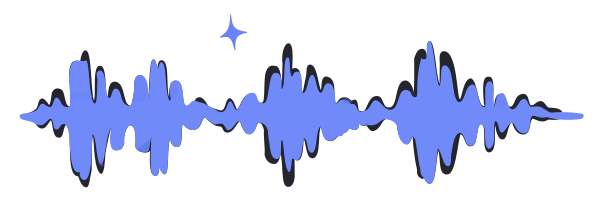
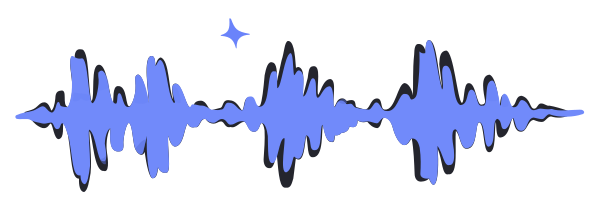

Audio restoration
Restore old audio, even from the 1950s. Fix that vintage cassette that sounds boxed, and clear digital hiss.
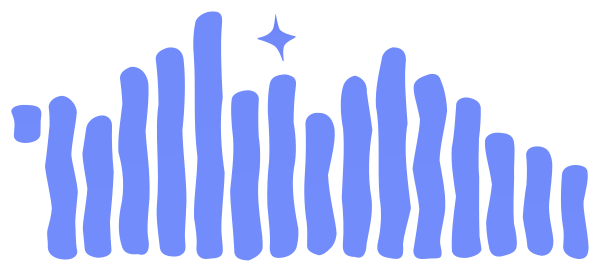
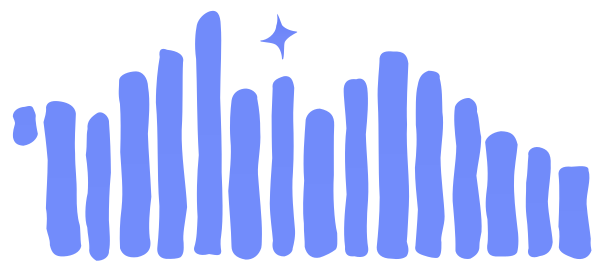

Cheap or built-in mics
Shot on your phone, or through your laptop mic, and it sounds thin?
Javelin makes it warmer, so it sounds like it was recorded with an expensive mic.
Outdoor shooting and noisy audio
Remove the noise of wind, traffic, crowds, vehicles honking on the highway, whirring machines, barking dogs or harsh breathing. Shoot outdoors without the worry of recording it again.
Zoom calls and Google Meet recordings
Zoom calls for your remote recordings often sound compressed, full of reverb and artifacts.
Auto-equalize them and get a clear voice.




Overlapping speech
Multiple guests talking at once, a co-host’s voice leaking into your mic, or background chatter mixed into your video or vlog.
Javelin detects each speaker, so you hear them distinctly. Clear dialogue and speech.

This audio is a part of "Podcast At Home Ep.1: The First One" by Reviews at Home licensed under CC BY 3.0, edited from original
Make voiceovers and audiobooks professional
Already have a decent recording?
Polish it to get more professional results for your voiceover or audiobook.




AI voices
AI text-to-speech that sounds robotic, with buzz or glitches?
Javelin fixes the audio artifacts, so AI voices sound less robotic and more human.


This audio is a part of "DupDub AI Voice Studio: The Future of Voiceovers! AI" by Minh Tam AI licensed under CC BY 3.0, edited from original
Try it on your own recording
Drop an audio or video file. Studio Sound cleans the first 20 seconds, free, no account needed.
From Studio Sound Nightly (v3) to Javelin (v4)
Voice generator
v3: Smaller model, sometimes unstable
v4: Much larger model, more stable
Sounds like you
v3: Could drift or feel robotic in tricky moments
v4: Uses your original voice as reference throughout
Artifacts (smearing, fizz, merged words)
v3: No clean-up stage
v4: Dedicated refinement stage
Echo and reverb
v3: Removed, but the voice could turn shaky
v4: Echo gone, voice steady and clear
Built-in noise removal
v3: Crackle in strong wind
v4: Cleaner removal, no crackle
Compression
v3: Could sound compressed
v4: Fuller, less compressed
Harsh “s” sounds
v3: Sometimes added
v4: Mostly gone
Overlapping speech
v3: Quieter speaker could fade out
v4: Both voices stay audible
Hear it on one recording
The same clip: the original, through Studio Sound v3 Nightly, and through Javelin (v4).
This audio is a part of “This FREE AI Text to Speech is insane! Or Is IT!" by Thomas Real Honest Reviews licensed under CC BY 3.0, edited from original
How it works, and why these improvements were needed
Studio Sound 4.0 (Javelin) is generative speech enhancement.
It doesn’t transcribe your words, rather re-voices them in 3 steps. First, it figures out what phonemes you are saying.
Next, it uses how you sounded a moment ago to predict your original voice. So, your voice stays consistent instead of drifting.
Then it fixes small artifacts like smearing, false high harmonics, and merged words.
Trained with extreme cases for echo removal. With 3D simulator.
- Javelin removes tricky echo and reverb.
- In usual situation, they are hard to fix. As echo depends more on the room, where the speaker stands, and where the mic or camera is. Real recordings of every combination don’t exist, so we built our own 3D acoustic simulator.
- The simulator traces how the sound spreads and bounces around the room, and calculates exactly what reaches the mic.
- We pair each simulated recording with its clean version, and the model learns to figure out the clean voice from the echoey one.
- That gives us realistic “bad room” audio for edge cases. And hence, better trained model to fix deep-cave echoey audio.
Why users love our Studio Sound

“Simple for non-technical users. Makes my iphone voice memos sound near studio quality.”
I absolutely adore how Cleanvoice lets you buy credit packs instead of a subscription. JOY. pure joy. The product is also excellent. It does what it promises. It's simple for non-technical users like me. Really appreciate cleanvoice for cleaning up my substack voice overs. It makes my iphone voice memos sound near studio quality -- studio equipment not required. Thanks cleanvoice!
Clean Voice AI has been an absolute game-changer for my workflow! What I like most is the stunning clarity and natural-sounding output. It doesn't just remove noise – it actually makes my voice sound crisp, professional, and human, even when I recorded in my less-than-perfect home office. The biggest pain point it solved? Background noise chaos! I used to waste hours trying to edit out traffic sounds, keyboard clicks, and my neighbor's enthusiastic lawnmowing. Clean Voice AI eliminated that frustration almost magically. Now, I can record confidently anywhere, knowing the final audio will sound like I was in a professional studio. Would I recommend Clean Voice AI? Absolutely, without hesitation! It's saved me countless hours of editing time, boosted my confidence in the quality of my content (like my podcast and client videos), and it's incredibly easy to use. If you create any audio content – podcasts, videos, voiceovers, online courses – this tool is essential. It just works!" Nirasha Beddegama - Social Media Marketer
I just discovered this tool as someone who has been editing my podcast for the last three years! I am so relieved to have something else do this tedious editing so I can focus on my other work. I think that the edited result sounds so professional. Cleanvoice is saving me so much time AND it's making my podcast (It's a Sign: The Art of Alignment) sound like it's recorded in a professional studio! I would absolutely recommend this to anyone who has been editing their own podcasts manually. Plus it's a great value!
“Better than adobe podcat audio enhancer”
Just too good to be true. Better than adobe podcat audio enhancer. Cleanvoice gives you studio bass sound. Too good
“Audio recording from busy market sounded like studio sound”
This is lowkey the best sound cleaning software I have ever used in my life. It was so easy and the results were such clean sound. I cleaned out sound from an audio recording in a busy market and it sounded like studio sound.
Pick the right setting for your problem.
The better settings you pick, the better results Studio Sound gives you.
| Your audio | Use | Avoid | Why |
|---|---|---|---|
| Echoey hall, lecture or untreated room | Studio Sound Javelin | Noise Removal alone | Noise removal can’t take out room echo. Javelin rebuilds the voice without it. |
| Windy outdoor shoot, heavy breathing | Javelin alone | Adding breath or noise removal on top | Javelin already handles wind and breath. Stacking settings can bring back crackle. |
| Noisy café or restaurant, phone mic | Studio Sound Javelin | Noise Removal alone | Javelin removes chatter completely. Noise removal alone can leave low background voices. |
| Zoom or Meet call with artifacts | Studio Sound Javelin | Heavy EQ before uploading | Javelin restores a fuller voice. Pre-processing can confuse it. |
| Voice over background music | Javelin with Keep Music on | Studio Sound on the full mix | Javelin is built for speech and can enhance the music too. |
| Clipped or distorted audio | Studio Sound Javelin | Re-recording, unless words are lost | Javelin smooths distortion as it rebuilds the voice. |
| Already good recording | Javelin alone | Every setting at once | One setting gives the most natural result. |
Echoey hall, lecture or untreated room
Studio Sound JavelinNoise Removal aloneNoise removal can’t take out room echo. Javelin rebuilds the voice without it.
Windy outdoor shoot, heavy breathing
Javelin aloneAdding breath or noise removal on topJavelin already handles wind and breath. Stacking settings can bring back crackle.
Noisy café or restaurant, phone mic
Studio Sound JavelinNoise Removal aloneJavelin removes chatter completely. Noise removal alone can leave low background voices.
Zoom or Meet call with artifacts
Studio Sound JavelinHeavy EQ before uploadingJavelin restores a fuller voice. Pre-processing can confuse it.
Voice over background music
Javelin with Keep Music onStudio Sound on the full mixJavelin is built for speech and can enhance the music too.
Clipped or distorted audio
Studio Sound JavelinRe-recording, unless words are lostJavelin smooths distortion as it rebuilds the voice.
Already good recording
Javelin aloneEvery setting at onceOne setting gives the most natural result.
Add Javelin in your product with one SDK call.
Enhance speech in your app with the same model. Add studio_sound to the call you already make. Supports audio and video, and 20+ languages and accents.
Explore more in docs →



1from cleanvoice import Cleanvoice23client = Cleanvoice.from_env()45result = client.process(6 "raw-take.wav",7 studio_sound=True,8 normalize=True,9)1011print(result.audio.url)$ pip install cleanvoice-sdkQuestions about Javelin
Record anywhere. Sound studio-recorded.
Upload the recording you’ve been avoiding and hear what Javelin does with it. Trusted by 40,000+ creators. No credit card required.